

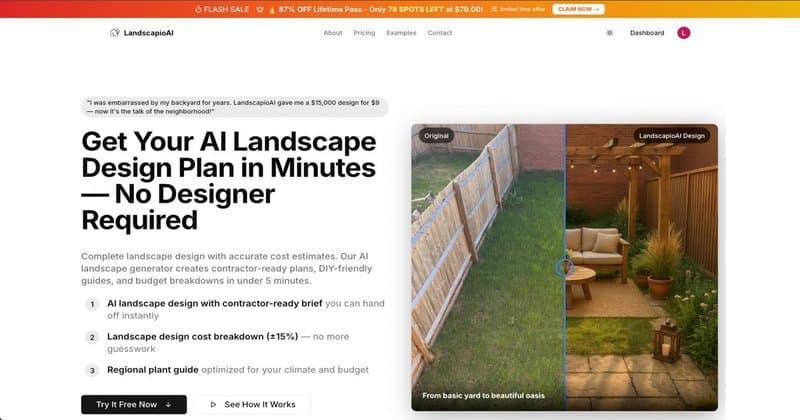
A year ago, getting a professional landscape design meant hiring a designer, waiting two weeks, and spending $2,000 to $5,000. Today, you can upload a photo of your yard and have a full design with a plant list, cost estimate, and contractor-ready brief in under 60 seconds. For free.
That shift happened because of AI. This guide explains exactly how it works, which results you can realistically expect, and how to get the best output from any AI landscape design tool.
How AI Landscape Design From a Photo Actually Works
The short version: you upload a photo, the AI analyzes what is in it, and then generates a redesigned version based on style preferences and constraints you select.
1. Scene understanding The AI first identifies what is in your photo: lawn, beds, pavers, fences, trees, the house facade. It understands spatial relationships, where the sun is coming from, and approximate dimensions based on visual cues.
2. Style and constraint mapping You select design preferences: modern / naturalistic / cottage / tropical, sun exposure, maintenance level, budget range. The AI maps these constraints onto what it found in your photo.
3. Design generation The AI generates a redesigned version of your yard that respects the fixed elements while replacing or upgrading the changeable ones.
4. Plan and cost extraction The better tools go beyond the visual. They extract a plant list, material quantities, estimated costs, and a phased build plan. This is where tools like LandscapioAI differentiate from basic AI image generators.
What You Can Realistically Expect
What works well
- Inspiration and visualization: seeing what your yard could look like with different styles is fast and effective
- Material and plant selection: AI suggests regionally appropriate plants based on climate zone, sun exposure, and style preference
- Cost ballparking: decent estimates within 15 to 25 percent of actual costs
- Contractor communication: a generated design gives you a starting point instead of starting from scratch
The limitations
- The generated image shows a concept, not a promise. Plants will not look exactly like the render.
- AI cannot account for underground drainage, utilities, or site engineering requirements
- Complex or unusual yards may require human design interpretation
- A generated design is a starting brief, not a construction document
The best use of an AI landscape design tool is as a planning accelerator. It gets you from blank page to clear brief in minutes instead of weeks.
What It Usually Costs to Turn an AI Concept Into a Real Yard
The design itself may be free, but the build almost never is. Treat the AI image as the start of the budgeting conversation, then pressure-test it against real installation numbers before you fall in love with one version.
| Project type inspired by the AI design | DIY-friendly budget | Hybrid budget (DIY planning + contractor install) | Full-service installed budget |
|---|---|---|---|
| Small front-bed refresh | $300–$1,500 | $1,200–$3,500 | $2,500–$6,000 |
| Patio + planting refresh | $1,500–$6,000 | $4,000–$12,000 | $8,000–$25,000 |
| Full backyard transformation | $4,000–$15,000 | $12,000–$35,000 | $20,000–$75,000+ |
Those ranges line up with broader benchmark data in our Landscaping Cost Guide 2026, the EPA WaterSense outdoor water guidance, and the ASLA residential landscape design process. If the AI concept includes retaining walls, drainage, irrigation, or hardscape demolition, move your expectations toward the top half of the range.
5 Tips to Get Better Results
1. Take a better photo
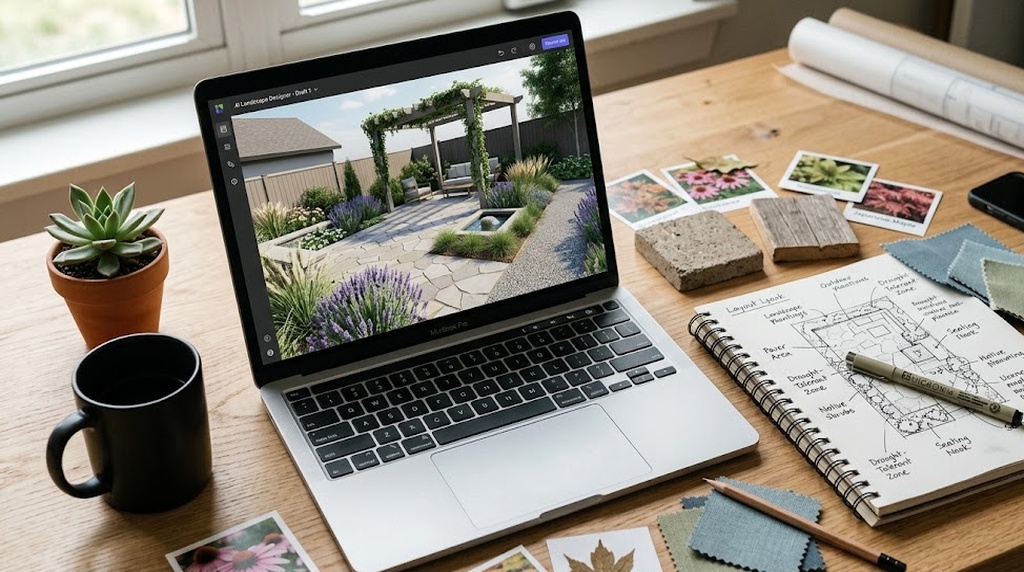
The AI can only work with what it can see. Good photo: taken from standing height at the edge of the space, good natural lighting (overcast is ideal), shows the full area you want redesigned. Avoid low light, heavy shadows, partial views that cut off the yard edge.
2. Be specific about constraints
Generic prompts produce generic results. Specify your climate zone or state, your biggest pain point, hard constraints ("must keep the existing oak tree," "need space for kids and dogs"), and budget range.
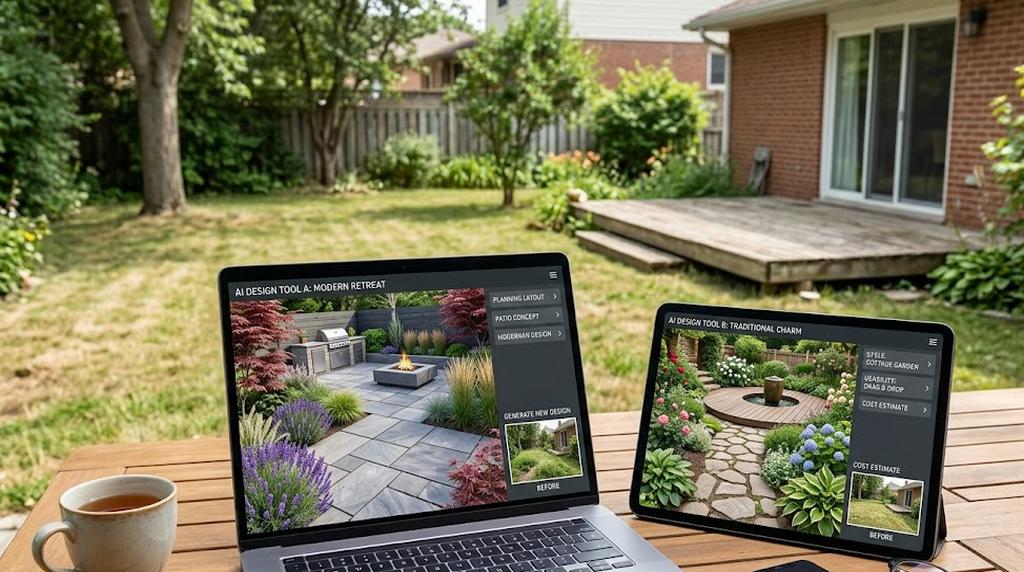
3. Generate multiple variations
Do not stop at the first result. Generate three to four variations with different style inputs and compare. The best AI tools let you iterate quickly.
4. Use cost estimates as a starting benchmark
AI-generated cost estimates are directional, not quotes. Use them to prioritize phases, check whether contractor quotes are in the right ballpark, and identify which materials are driving cost. Pair the AI estimate with our free paver calculator or mulch calculator to verify quantities.
5. Extract the brief, not just the image
The most underused output is the written plan: plant list, material list, phasing guide. In LandscapioAI, this comes out as a contractor-ready brief you can hand directly to a landscaper or use to guide your own DIY build.
AI Landscape Design vs. Hiring a Designer
| LandscapioAI (AI) | Online Design Service | Local Designer | |
|---|---|---|---|
| Cost | Free / $9 to $19/mo | $299 to $1,500 | $1,500 to $6,000 |
| Turnaround | 60 seconds | 1 to 2 weeks | 2 to 6 weeks |
| Plant and material list | Yes | Yes | Yes |
| Cost estimate | Yes | Sometimes | Yes |
| Contractor brief | Yes | Rarely | Yes |
| Best for | DIY planning + contractor prep | Remote design help | Complex or large projects |
The AI tool wins on speed and cost for early planning: figuring out what you want, getting rough costs, preparing to talk to contractors. For large or complex projects, a local designer adds value in site knowledge and relationship management.
What Homeowners and Pros Keep Arguing About in Forums
The strongest forum feedback is not really about image quality — it is about whether the plan is usable in the real world. One highly upvoted response surfaced in Brave's Reddit results with a blunt warning: "AI is not ethical or by any means a tool to apply to real life landscaping scenarios" because visual ideas alone can miss hardiness zones, microclimates, and practical site constraints. That skepticism is healthy.
A second recurring point from landscaping threads is the opposite: homeowners like AI most when it helps them get unstuck early. In Reddit discussions surfaced for this keyword, people repeatedly described these tools as useful for "ideas" and for seeing what a yard could look like before paying for a professional design.
The takeaway: use AI to generate options fast, then validate the winning direction with climate-aware plant choices, measurements, and real contractor pricing. That is exactly where a tool with a plant list, quantities, and budget ranges becomes more useful than a generic image generator.
DIY vs. Professional Help: When AI Is Enough and When It Isn't
| If your goal is... | AI + DIY is usually enough | Bring in a pro |
|---|---|---|
| Trying different visual directions | ✅ | |
| Building a first-pass plant list for a sunny, straightforward yard | ✅ | |
| Budgeting a simple mulch, bed, or paver refresh | ✅ | |
| Solving drainage, grading, retaining wall, or permit issues | ✅ | |
| Designing around mature trees, pool setbacks, or utilities | ✅ | |
| Preparing a contractor-ready scope for a $20k+ build | Sometimes, but verify | ✅ |
A good working rule: if your project changes structure, water flow, or code-sensitive elements, AI should help with concepting — not replace professional judgment. If you are mainly refreshing beds, lawn layout, lighting, mulch, or a small patio, AI can save a lot of planning time before you spend real money.
See What Your Yard Could Look Like
Upload a photo and get a free AI landscape design including a plant list, cost estimate, and contractor-ready brief. Takes 60 seconds.
Try It FreeWhat a Good AI Landscape Design Output Includes
A good tool produces more than just a pretty picture:
- Redesigned visual - photorealistic rendering with the new design applied, respecting existing structures
- Zone breakdown - design divided into functional areas with descriptions
- Plant list by zone - species appropriate for your climate, maintenance level, and style, with quantities
- Material list - hardscape materials with estimated quantities
- Cost estimate - broken down by phase or zone with low, mid, and high ranges
- Contractor brief - a written summary a landscaper can use to prepare a quote
If a tool does not produce most of this, it is a design inspiration tool, not a design planning tool. The difference matters when you are actually going to build something.
FAQ
Is free AI landscape design actually good?
Yes, for planning purposes. Free tiers produce usable design concepts, plant lists, and cost estimates. The limitations are usually in the number of designs you can generate or the depth of the contractor brief.
How accurate is AI landscape design?
Visual accuracy depends on photo quality. Cost estimates are typically within 15 to 25 percent of actual contractor quotes. Material lists are generally reliable for quantities once you specify the design clearly.
Can AI landscape design work for small spaces?
Yes. Small spaces often get better results because the AI has fewer elements to manage. Balconies, patios, courtyards, and small urban backyards work well.
What is the best free AI landscape design tool in 2026?
LandscapioAI is the only free tool that generates both a design visualization and a full contractor-ready brief from a single photo upload. Most other free tools generate the visual only.
Do I need to know anything about plants to use it?
No. Describe what you want in plain language and the AI handles plant and material selection based on your climate zone.
Can I use AI landscape design results with a real contractor?
Yes. The contractor brief is specifically formatted to help contractors understand scope and prepare a quote.
Sources
- USDA Plant Hardiness Zone Map — climate zones used to filter plant recommendations.
- U.S. EPA WaterSense Outdoor Water Use — irrigation and outdoor water-efficiency baselines.
- American Society of Landscape Architects (ASLA) — professional standards and design process benchmarks.
- Neighborbrite — example of a photo-first AI landscape design tool emphasizing style choice and location-based plant lists.
- Planner 5D Landscape Design Software — DIY landscape-planning workflow and 2D/3D modeling reference.
- Adobe Firefly Plans & Pricing — current free-tier context for pure visualization tools.
The Bottom Line
AI landscape design from a photo has crossed the threshold from interesting demo to genuinely useful planning tool. The time savings are real (minutes vs weeks). The cost savings are real (free vs $2,000+). The output is immediately actionable when you use a tool that generates more than visuals.
Use AI to get from blank page to clear brief fast, then take that brief to a contractor or into your own build.
Start with a free design - upload your photo at LandscapioAI