

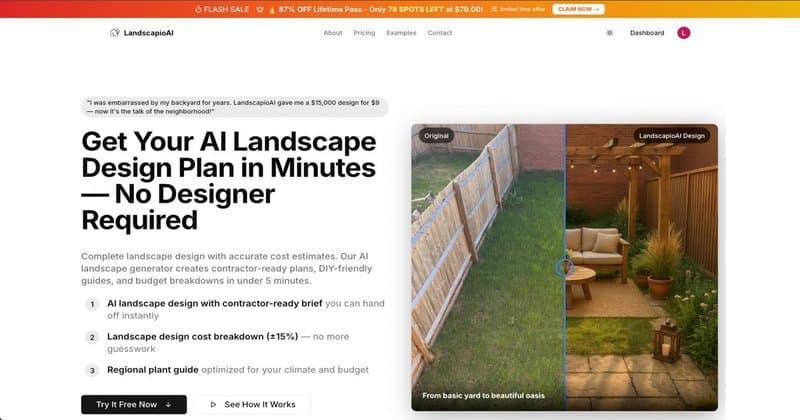
If you are searching for AI landscape design, you are probably not looking for abstract “future of AI” content. You are trying to answer a much more practical question:
Can software help me redesign my yard faster and cheaper than starting from scratch with a designer, while still giving me something useful enough to act on?
That is the right question.
AI landscape design is real, but it is also easy to misunderstand. Some tools are basically image generators that make your yard look prettier on screen. Some are closer to planning tools that turn a photo into a first-pass design, plant ideas, material suggestions, and rough budget guidance. A few try to bridge both.
The key is knowing what the software is actually good at.
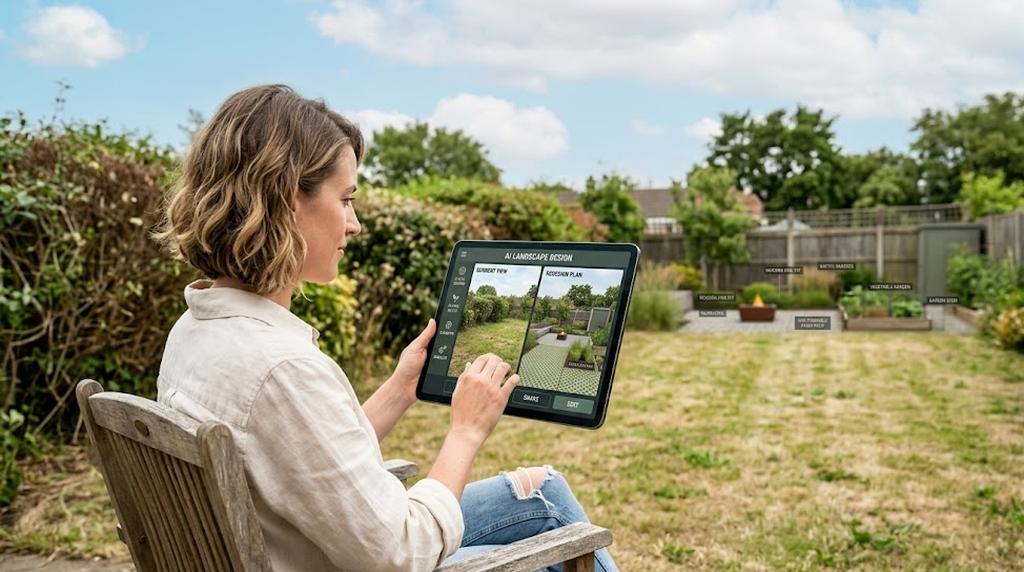
In this guide, we will cover:
- what AI landscape design actually means
- how the software works behind the scenes
- the difference between free AI landscape design tools and paid ones
- which tool types are useful for which homeowner situations
- where AI helps, where it fails, and when you still need a pro
- how to choose software that is practical for a real project rather than just entertaining
This is the hub page for the LandscapioAI lower-funnel cluster, so if you are comparing specific options, you should also read:
- LandscapioAI vs Yardzen
- LandscapioAI vs ShrubHub
- Best Yardzen Alternatives
- Best Free AI Landscape Design Tools
The Short Version
AI landscape design software is most useful when you are in the early or middle planning stage.
It can help you:
- visualize your yard in a different style
- compare multiple directions quickly
- get unstuck before talking to contractors
- rough out plants, materials, and layout ideas
- pressure-test whether a project feels like a small refresh or a full rebuild
It is less useful when you need:
- grading or drainage engineering
- retaining wall design
- permit-ready drawings
- precise site measurements
- guaranteed plant performance
- local code or HOA interpretation
So the practical way to use AI is this: use it to reduce uncertainty early, not to replace judgment late.
What AI Landscape Design Actually Means
“AI landscape design” is a broad phrase that covers a few very different kinds of software.
In the simplest version, the tool takes a photo of your yard and generates a redesigned visual based on prompts like “modern low-maintenance front yard” or “backyard with pavers, seating, and drought-tolerant planting.”
In a better version, the tool does more than create a pretty render. It also tries to understand the space and produce planning output such as:
- a zone-by-zone concept
- plant suggestions
- materials suggestions
- rough quantity estimates
- phased project ideas
- approximate budget ranges
- a written brief you can use when talking to a contractor
That distinction matters.
A generic AI image generator can be fun, but it often produces ideas that are visually impressive and practically thin. A purpose-built AI landscape design tool should help you move from “that looks nice” to “I can actually use this to plan next steps.”
How AI Landscape Design Works
The exact workflow varies by tool, but most AI landscape design software follows the same basic sequence.
1. It reads the space
The software starts by analyzing your input photo or layout.
It tries to identify things like:
- lawn areas
- planting beds
- patios and hardscape
- fences and walls
- trees and shrubs
- house facade and windows
- sun/shadow clues
- pathways and circulation
This is not the same as a professional site survey, but it gives the AI a rough understanding of what is fixed and what might be changed.
2. It maps style and constraints
Next, the tool combines what it sees with the instructions you provide.
Typical inputs include:
- preferred style: modern, naturalistic, Mediterranean, cottage, tropical, minimalist
- maintenance level: low, medium, high
- budget range
- climate or region
- family needs: kids, dogs, entertaining, privacy
- must-keep elements: a tree, deck, fence, or lawn area
- must-add elements: seating, fire pit, pavers, raised beds, screening plants
The better your inputs, the better the output tends to be. Vague prompts create vague designs.
3. It generates a visual concept
This is the part people notice first. The software produces a redesigned image of the yard showing a possible finished direction.
This visual can be helpful because most homeowners struggle to imagine a completed yard from a list of materials alone. Even a rough concept can make tradeoffs obvious fast:
- more planting vs more lawn
- patio space vs open play space
- formal vs natural layout
- lush look vs lower maintenance look
4. It may generate planning output
This is where the gap between tools becomes obvious.
Some software stops at the image.
Other tools go further and create:
- suggested plants by zone
- material lists
- rough quantities
- cost ranges
- installation notes
- a project summary
For a real homeowner, this second layer often matters more than the image. The image gets attention. The planning output is what helps you decide what to do next.
5. You iterate
The best thing about AI landscape design is not that the first result is perfect. It is that you can iterate fast.
Instead of waiting days or weeks to see another direction, you can test several versions in one sitting:
- keep the patio, change the planting
- reduce lawn, add gravel and native beds
- switch from modern to cottage
- add privacy screening along one edge
- compare “budget-friendly” against “premium entertaining space”
That speed is the real advantage.
The 4 Main Types of AI Landscape Design Software
If you search for AI landscape design software, you will see a mix of tools that are not actually solving the same problem. Most fall into four buckets.
1) Photo-to-design tools
These are the most accessible for homeowners.
You upload a photo of your real yard, choose a style or prompt, and the tool generates a redesign based on the existing space.
Best for:
- homeowners at the idea stage
- comparing directions quickly
- showing a spouse or contractor what you mean
- testing front-yard or backyard refresh concepts
Main limitation: A photo-based concept is still a concept. It can miss exact dimensions, grade changes, setbacks, and underground realities.
If you want the most practical use case for this category, read our guide to AI landscape design from a photo.
2) General AI image generators
These include broader creative tools that can produce “landscape design” style outputs if prompted well.
Best for:
- visual brainstorming
- mood board creation
- style exploration
- rough concept communication
Main limitation: They are often weak on constraints. They may invent impossible plant combinations, unrealistic scale, or fantasy hardscape details that look good but do not map cleanly onto a real yard.
3) Planning-first landscape AI tools
These aim to produce not just visuals, but useful project scaffolding — things like plants, materials, zones, or cost guidance.
Best for:
- homeowners who want something actionable
- DIY planning before buying materials
- preparing to brief contractors
- deciding whether the project is small, medium, or major
Main limitation: The planning output still needs validation. Plant fit, quantity assumptions, and cost ranges should be checked before you treat them as final.
4) Hybrid online design services with AI in the workflow
Some companies blend software and human review. Others position themselves as design services first, software second.
Best for:
- homeowners who want more hand-holding
- people willing to pay more for service structure
- buyers who do not want to interpret options themselves
Main limitation: This category is often slower and more expensive. The tradeoff is more support and more formal deliverables.
If that is the decision you are making, compare specifics in LandscapioAI vs Yardzen and LandscapioAI vs ShrubHub.
Free AI Landscape Design vs Paid Software
One of the most common search patterns is some version of “ai landscape design free” or “free ai landscape design software.” That makes sense. Most people do not want to spend serious money until they know the tool is useful.
Here is the practical distinction.
| What you usually get | Free AI landscape design | Paid AI landscape design software |
|---|---|---|
| Trial access | Yes | Yes or no |
| Photo redesign | Usually | Yes |
| Multiple exports or variations | Limited | More generous |
| Plant/material suggestions | Sometimes | More likely |
| Cost estimate or brief | Rare on free tiers | More common |
| Project storage/history | Limited | Usually included |
| Best use | Exploration | Iteration + planning |
Free tools are excellent for answering a narrow question: Do I like this direction at all?
Paid tools are better when your question becomes: Can I use this output to decide scope, phases, and next steps for a real project?
That does not mean you should skip free tools. It means you should use them for the right stage.
A smart workflow often looks like this:
- try a free tool first
- generate a few versions
- identify the most promising direction
- use calculators and cost guides to test feasibility
- only then upgrade to a more capable tool or professional help if needed
For a tool-by-tool rundown, start with Best Free AI Landscape Design Tools.
What Good AI Landscape Design Software Should Actually Give You
If you are evaluating software, do not judge it only by how dramatic the image looks. The flashy render is the easy part. The useful part is whether the tool helps you make better decisions.
A good AI landscape design tool should ideally give you some mix of the following:
A realistic redesign based on your actual space
Not a fantasy garden floating in space. A useful tool should work from your yard and preserve the fixed elements that matter.
Clear style direction
You should be able to tell what changed and why. Does the tool create a modern low-maintenance layout? A softer cottage feel? A drought-tolerant front yard? If the output looks good but the logic is fuzzy, the software will be hard to trust.
Plant or material suggestions
Even if they are only first-pass recommendations, they help bridge the gap between image and action.
Rough budget guidance
This is hugely useful because many homeowners do not know whether their vision is a $1,500 cleanup, a $7,500 patio-and-planting refresh, or a $30,000+ transformation.
Something you can hand to a contractor
The more the tool can summarize scope clearly, the better. A good brief reduces ambiguity and helps you get more useful quotes.
Fast iteration
You should be able to learn from each version and improve the next one. Speed is one of the few advantages software has over traditional design workflows. A tool that is slow and thin on output loses much of that edge.
What AI Landscape Design Is Good For
This is where expectations matter.
AI landscape design is strongest when the problem is uncertainty, not engineering.
It is especially useful for:
1. Early-stage idea generation
If your yard feels like a blank canvas and you do not know where to begin, AI is excellent at forcing options into view. That is often the hardest first step.
2. Style comparison
Many homeowners know what they dislike but struggle to describe what they want. AI makes style comparison concrete.
3. Planning before getting quotes
Contractor conversations get better when you bring a direction instead of a vague wish list.
4. DIY prioritization
If you are doing the work in stages, AI can help you see which moves matter most visually: new beds, edging, a path, a patio, screening, or lawn reduction.
5. Family alignment
It is easier to get everyone on the same page when you can show alternatives instead of arguing over abstractions.
What AI Landscape Design Is Not Good For
This matters just as much.
AI is weak when the problem depends on details it cannot reliably inspect from a photo or prompt.
That includes:
- drainage design
- grading corrections
- retaining wall engineering
- irrigation zoning and water pressure realities
- property lines and setback compliance
- local code and permit requirements
- mature tree protection
- utility conflicts
- exact plant survivability in specific microclimates
The EPA WaterSense outdoor guidance is a good reminder that successful landscapes depend on water use, hydrozoning, and real site conditions — not just appearance. Likewise, the American Society of Landscape Architects frames landscape design as a discipline that connects site function, ecology, safety, and user needs. AI can support that process, but it does not replace it.
Who AI Landscape Design Is Best For
The ideal user is usually one of these people:
Homeowners planning a refresh
If you want to improve curb appeal, redesign planting beds, add a patio, or rethink a backyard layout, AI can help you get to a clear direction much faster.
DIY or semi-DIY homeowners
If you plan to do part of the work yourself, the software can help you decide what materials and phases to tackle first. Pairing the concept with a mulch calculator, paver calculator, plant calculator, or drainage calculator turns inspiration into a more grounded scope.
Homeowners comparing service models
Some buyers are deciding whether they need a software tool, an online design service, or a local designer. In that case, AI is useful not only as a design tool but as a decision filter. If a fast, cheap concept already answers your question, you may not need a four-figure design package yet.
People who are visually minded but time-poor
If you know what you want once you see it, but you do not want a long design process, AI can be a very efficient shortcut.
Who Should Be Careful With It
AI landscape design is less ideal if your project is high-risk, highly technical, or unusually constrained.
Be cautious if:
- your property has major drainage problems
- you are changing elevation significantly
- you need retaining walls or structural work
- you are near a pool, septic field, easement, or complex utility setup
- the site has mature trees you cannot afford to damage
- your HOA or city review process is strict
In those cases, AI still has value for ideation. It just should not be the last word.
A Practical Framework for Choosing AI Landscape Design Software
If you are staring at five tabs and all the tools sound similar, use this filter.
Choose based on the job, not the marketing
Ask yourself which of these problems you are actually trying to solve:
| If your main goal is... | Prioritize software that does this well |
|---|---|
| See how your real yard could look | Photo-based redesign |
| Compare several styles quickly | Fast variations |
| Plan a DIY refresh | Plant/material suggestions + calculators |
| Prepare for contractor quotes | Brief + scope summary + rough costs |
| Decide between service options | Honest comparisons and category guides |
Then check these five things
- Does it use your real yard, or just generic prompts?
- Can it preserve must-keep elements?
- Does it produce useful output beyond the image?
- Can you iterate cheaply?
- Does it help you make a decision, not just admire a render?
If the answer to the last question is no, the tool may still be fun, but it is not necessarily useful.
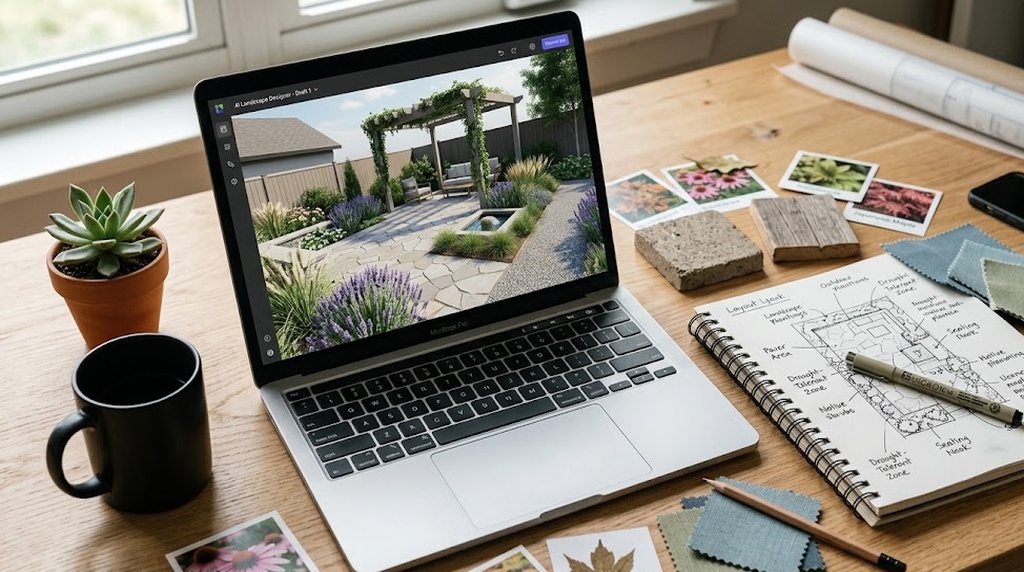
How to Use AI Landscape Design Without Getting Misled
The biggest mistake people make is treating the first render like a final plan.
A better process looks like this:
Step 1: Start with a clean photo and a clear brief
Use a full view of the area. Include what matters in frame. Then give the tool constraints, not just style words.
Good input sounds like:
- low-maintenance front yard
- partial shade
- keep the existing oak
- add a short path from driveway to porch
- prefer native-looking planting
- budget-conscious
Step 2: Generate several versions
Do not stop at one. You are not looking for perfection. You are looking for patterns.
Ask:
- What keeps showing up that I like?
- What looks expensive to build?
- Which version fits how we actually use the yard?
Step 3: Validate the winning direction with calculators and cost guides
This is where people get more practical.
If the design adds mulch beds, pavers, drainage improvements, turf replacement, or planting zones, use the related calculators to test whether the quantities and rough costs make sense.
Useful next steps often include:
Step 4: Decide if the project is still DIY-friendly
Once the concept has rough numbers attached, the path usually becomes clearer:
- still a weekend project
- phased DIY over a month or two
- hire a contractor with a simple scope
- bring in a designer because the site is more complex than expected
Step 5: Use the AI output as a brief, not a contract
Take the best ideas forward, but let real measurements, real quotes, and real site conditions refine the final plan.
AI Landscape Design Software vs Online Landscape Design Services
This is one of the most important buying decisions in the category.
| Category | AI landscape design software | Online landscape design service |
|---|---|---|
| Speed | Usually fast | Usually slower |
| Cost | Usually much lower entry cost | Usually higher upfront cost |
| Iteration | Easy to generate multiple versions | More formal revision cycles |
| Best for | Early planning, exploration, rough scoping | More guided process and formal deliverables |
| Limitation | Can feel lightweight for complex projects | Harder to justify if you are still uncertain |
This is exactly why we created the comparison pages in this cluster.
If you are trying to answer a brand-level question rather than a category-level one, read:
Those pages go deeper on price, turnaround, and who each option is actually for.
When Free AI Landscape Design Is Enough
A free tool is often enough if:
- you mainly want visual direction
- the space is fairly simple
- you are comparing styles
- the project is small or medium in scope
- you are not relying on the tool for code-sensitive decisions
- you just want enough clarity to move to the next step
For many homeowners, that is genuinely enough. They do not need a polished master plan. They need confidence about whether to remove lawn, add a path, expand a patio, or soften the look with layered planting.
When Paid AI Landscape Design Software Is Worth It
Paid software is more likely to be worth it when:
- you want repeat iterations on the same project
- you need more planning structure than a single image
- you want lists, breakdowns, or a reusable brief
- you are coordinating with a partner or contractor
- you want a lower-cost alternative to a formal design package
The value is not just more features. It is better decision support.
Where the Best AI Landscape Design Tools Still Fall Short
Even the strongest tools still have limits.
They can flatten complexity
A yard is not just a picture. It is drainage, soil, sun patterns, wear, access, roots, and maintenance behavior over time. AI can hide those complexities behind a polished render.
They can make expensive ideas look deceptively simple
A clean image of a patio, steps, lights, privacy planting, and layered borders can feel manageable until you price it in the real world.
They may overstate plant suitability
University extension resources such as NC State Extension's plant toolkit and state extension landscaping guidance are still better references for confirming plant fit than a generic AI suggestion alone.
They do not carry legal responsibility
If a retaining wall fails, a permit is missed, or drainage is worsened, the render is not accountable. You are.
That is why the safest mindset is: AI is a planning accelerator, not a substitute for due diligence.
What We Think the Category Is Converging Toward
The category is slowly splitting into two clearer lanes.
Lane 1: visualization-heavy tools
These win on image quality and quick inspiration.
Lane 2: planning-heavy tools
These win on usefulness for actual homeowners trying to move toward a real build.
The most valuable products in the next phase of the market will probably combine both: strong photo-based redesign plus practical output that shortens the path to a real project.
That is why the word software matters in this keyword cluster. Buyers are not only looking for “AI art for yards.” They are looking for a tool that helps them think, compare, scope, and decide.
A Simple Decision Tree
If you want the simplest possible answer, use this.
Use a free AI landscape design tool first if:
- you are still exploring
- your project is modest
- you want ideas quickly
- you are not ready to hire anyone
Use a more capable planning tool if:
- you want to move from image to scope
- you need better guidance on plants, materials, or costs
- you want to brief a contractor clearly
- you are iterating seriously on one property
Use a designer or contractor review if:
- the project affects drainage, grade, walls, or permitting
- the site is complex
- the budget is large enough that mistakes are expensive
- you need something build-ready, not just decision-ready
Want to See What AI Landscape Design Looks Like on Your Yard?
Upload a photo, explore practical design directions, and get a project-ready starting point faster than a traditional design process. If you are still deciding whether AI is enough for your space, starting with a real photo is the fastest way to find out.
Try AI Landscape Design FreeFAQ
What is AI landscape design software?
AI landscape design software is a category of tools that helps homeowners redesign outdoor spaces using photos, prompts, and automation. Depending on the tool, it may generate only a visual concept or a fuller package with suggested plants, materials, phases, and rough budget guidance.
Is there really a free AI landscape design option?
Yes, but free access usually comes with limits. You may get a small number of generations, fewer export options, or less planning output. That is still enough for many homeowners who just want to compare directions before committing to a paid tool or service.
What is the difference between AI landscape design and landscape design software?
Traditional landscape design software is often manual, more technical, and sometimes aimed at professionals. AI landscape design software is generally faster for homeowners because it uses photos, prompts, and automated generation rather than a full CAD-style workflow.
Can AI landscape design create a real planting plan?
It can create a useful first-pass planting direction, but you should still verify plant choices against local conditions, hardiness zone, sun exposure, irrigation realities, and mature size before installing anything significant.
Can AI landscape design help with budgeting?
Yes, especially if the tool includes quantity assumptions or rough cost ranges. But treat the numbers as directional. Use calculators, cost guides, and contractor quotes to pressure-test the result.
Is AI landscape design good enough for a backyard renovation?
Often yes for planning and ideation, especially if the backyard is straightforward and the goal is layout, planting, or a moderate hardscape refresh. If the renovation involves drainage, retaining walls, major grade changes, or structural work, professional review is still smart.
Related Reading Inside This Cluster
If you want to go narrower after this hub page, these are the next best reads:
- LandscapioAI vs Yardzen — for homeowners deciding between fast AI planning and a higher-touch online design service
- LandscapioAI vs ShrubHub — for buyers comparing cost, speed, support, and output style
- Best Yardzen Alternatives — for shoppers evaluating multiple options in one place
- Best Free AI Landscape Design Tools — for people who want to start free before paying for anything
- AI Landscape Design From a Photo — for the most common homeowner workflow in this category
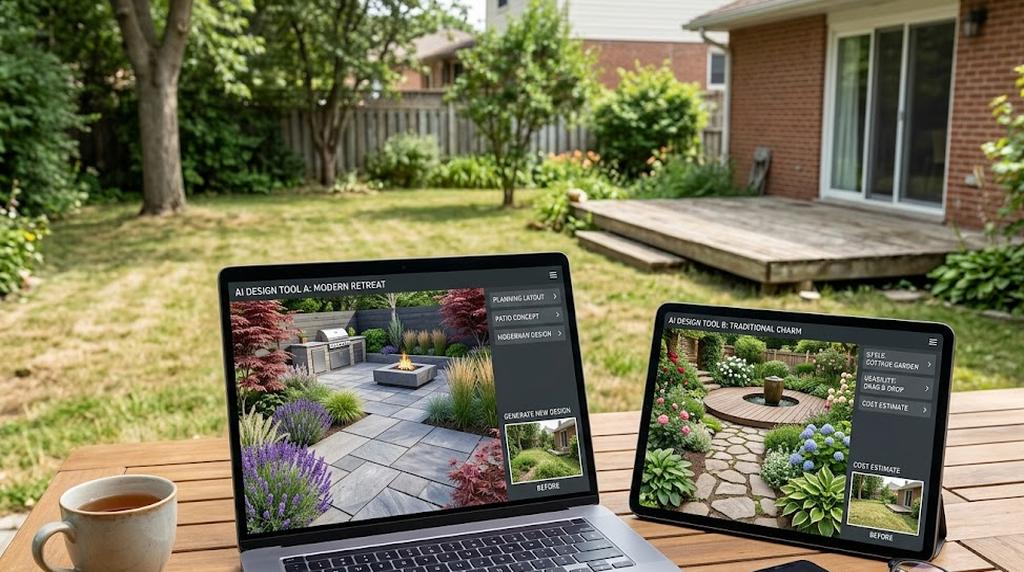
When an AI-First Tool Is the Better Fit
For many homeowners, an AI-first workflow is the better fit when the main problem is still decision-making. That usually means:
- you are still comparing styles or scope
- you want a fast concept before calling a pro
- you need rough cost direction, not a formal package yet
- you want to iterate several times before paying for a service-led workflow
That is the use case where tools like LandscapioAI tend to be most practical.
When a Service-Led Option May Make More Sense
A service-led option can still make more sense when you already know you want a slower, more packaged workflow. In practice, that usually means you value some mix of:
- a more structured remote-design process
- bundled deliverables presented by the provider on its public pricing or package pages
- more human guidance than a self-serve AI workflow provides
- a project that is far enough along that you are ready to pay for a fuller design handoff
That is why this hub links out to direct comparisons like LandscapioAI vs Yardzen, LandscapioAI vs ShrubHub, and Best Yardzen Alternatives. Those pages are the right place for brand-specific tradeoffs; this hub is here to help you decide which category of solution fits your project stage.
Sources
- American Society of Landscape Architects (ASLA)
- EPA WaterSense — Outdoors
- NC State Extension Plant Toolbox
- Adobe Firefly
- Canva Magic Studio
- LandscapioAI vs Yardzen
- LandscapioAI vs ShrubHub
- Best Yardzen Alternatives
Final Take
AI landscape design is worth using if you treat it as a decision-making tool, not a magic wand.
Used well, it can save time, reduce uncertainty, and help you move from vague ideas to a clearer project plan. Used badly, it can create false confidence in a beautiful image that has not been tested against cost, climate, or site reality.
That is why the best workflow is still grounded:
- generate options quickly
- compare them honestly
- validate the winning direction with calculators and cost guides
- involve human expertise when the project gets technical
If you want to test that workflow on your own space, the fastest next step is simple: start a free project and see what your yard looks like with a few concrete directions instead of one vague idea.